
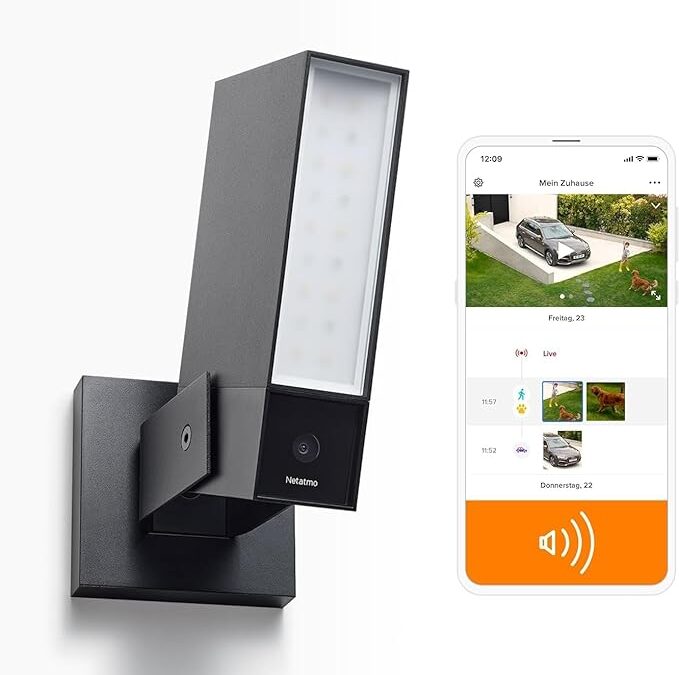
Smart surveillance camera with alarm system, floodlight, AI and free cloud
Many surveillance cameras require expensive cloud subscriptions or only store recordings locally - which can be risky in an emergency. However, there are systems that enable intelligent surveillance and cloud storage without any ongoing costs.
Is there a solution that combines security, data protection and convenience? And how well do such cameras really work in everyday life and as a deterrent to burglars?

There are numerous surveillance cameras on the market for monitoring your property, home, garage or other outdoor objects. However, the vast majority of them require a paid cloud subscription so that the camera can securely store videos of intruders in a cloud. If you don't want to pay for this, the only option is to save the images on an SD card built into the camera. However, this has the disadvantage that this video cannot usually be accessed remotely via the Internet using a smartphone or browser and that the intruder can steal the SD card or the entire camera and the evidence disappears. Saving in a cloud is essential for this.
Best camera for monitoring outdoor areas and scaring off burglars
One camera that has very good quality and allows videos to be saved in the cloud for free is the Netatmo camera.
Netatmo offers video storage in Dropbox, where 2GB of cloud storage space is available free of charge after registration - which is completely sufficient for the surveillance camera. Netatmo can simply overwrite old videos in the full storage space to ensure that the latest videos are always stored securely. I am currently only aware of Netatmo supporting storage in Dropbox. Most other providers want to get the user to pay for their own paid cloud service.

How does surveillance with Netatmo outdoor cameras work?
The camera is first mounted on the wall of the house. An existing lamp can simply be replaced by the camera, as Netatmo offers a built-in floodlight and the necessary power connection can be taken from the lamp. The next step is to install the app for iOS or Android. The app is used to connect the camera to your own WLAN so that the recorded videos can be automatically saved to the cloud. The app also offers many setting options. For example, an alarm can be set using the built-in siren if objects, animals or just people are detected. The camera uses AI to learn from known people. This makes it possible to classify family members and other known people as safe so that the camera alarm is not triggered for these people. It is also possible to set up so-called alert zones, i.e. areas that are to be covered or excluded by the camera. I now have 3 of these cameras in use and am delighted with how reliably the hardware and software works. The French manufacturer has done a great job here!
Du planst ein KI-Projekt? Wir unterstützen dich mit skalierbarer Technologie und praxisnaher Umsetzung.

FAQ
How secure is video surveillance with an SD card compared to the cloud?
SD cards can be physically stolen or damaged, resulting in the loss of important evidence. Cloud storage is generally more secure as it stores the data decentrally and protects it from theft.
What functions should a good outdoor camera with AI detection have?
Modern outdoor cameras should offer AI-supported motion detection, person detection, siren function and configurable surveillance zones. This allows false alarms to be minimized and real threats to be detected in a targeted manner.
How does setting up a smart surveillance camera without a subscription work?
The camera is usually connected to the power supply of an existing outdoor lamp and connected to the Wi-Fi via an app. Cloud services such as Dropbox can then be set up for storage and individual alarms can be configured.